
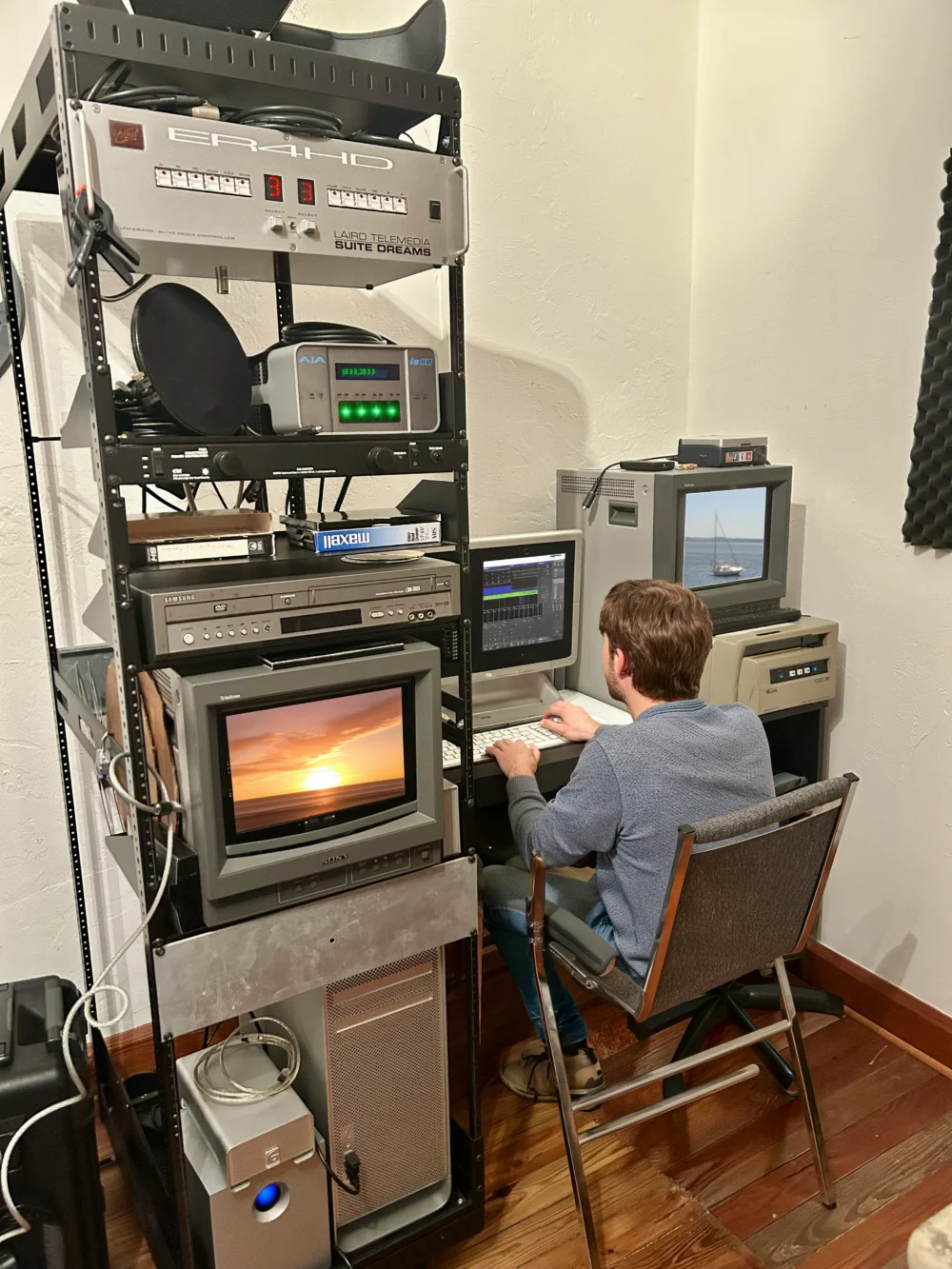
Twenty years ago, an edit bay was a room. A wall of towers humming under the desk, tape decks for all the formats stacked to the ceiling, a dedicated deck just for capturing footage off a camera before you could even start cutting, and a leather couch in the back where the client would sometimes sit through the review., Moving a project meant moving physical drives. Sharing a rough cut meant burning a disc or scheduling a screening.
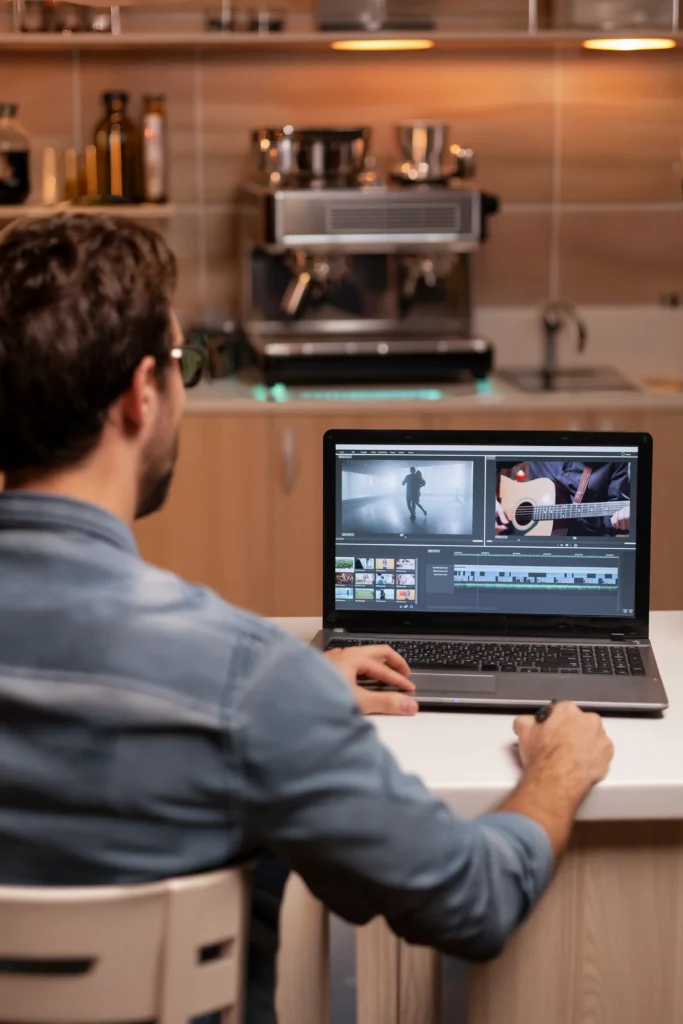
Today a guy with a laptop at a coffee house is doing more than that whole 300-square-foot edit suite used to do.
And it’s not a twenty-year story anymore. It’s a one-year story.
Look at just the last 12 months inside Premiere Pro alone. An editor can now search a media library by describing what’s in a shot, isolate a moving subject with a hover and a click instead of hours of rotoscoping, grade footage in a dedicated color environment without ever leaving the timeline, and build a rough cut straight off a transcript instead of a timeline. The pace isn’t gradual. It’s compounding year over year.
A few of the newer tools are genuinely worth geeking out over
Color Mode might be the standout. Premiere spent three years building a full color grading environment right inside the editor, GPU-accelerated, running in 32-bit color for the first time, with a dedicated color monitor and a clip grid for comparing shots side by side. It’s built specifically for editors doing their own finishing, not colorists working a separate specialized system, which means the round-trip to a separate grading application for a cinematic look isn’t necessary anymore.
The Object Mask tool is the other one worth knowing well. Isolating a moving subject, a person walking through a shot, a car passing frame, used to mean hours of frame-by-frame rotoscoping. Now it’s a hover and a click. The AI detects the subject, tracks it through the entire clip automatically, and it all runs on the machine itself. What used to require a dedicated rotoscoping artist and a full afternoon is now a five-minute task.
Media Intelligence search lets an editor describe what’s in a shot, in plain language, rather than scrubbing through hours of raw footage hoping to remember where a moment lives. It’s there in seconds instead of twenty minutes of hunting.
Auto Reframe is another one worth the hype.. Repurposing a horizontal interview into a vertical cut for social media used to mean manually keyframing a crop on every single clip, hoping the subject stayed in frame through every movement. Now it’s a single pass at the end of an edit that tracks the subject and reframes an entire sequence intelligently.
Text-Based Editing has changed how a rough cut gets built in the first place. Long interviews and talking-head footage can be edited straight off the transcript, deleting a sentence in a document instead of hunting for in and out points on a timeline.
And Generative Extend is a narrow but genuinely useful trick: holding a reaction beat an extra moment, or covering a shot that comes up just a hair short, by generating a couple of extra frames rather than needing a pickup. It won’t touch dialogue, only ambient sound and simple motion, but for the right situation it saves a reshoot.
None of that is the art. All of it is the grunt work.
Here’s the distinction that actually matters: everything above is organizational. Searching, reframing, cleaning, assembling. It’s the stuff that always ate time without ever being the reason the work was good.
The art is somewhere else entirely. It’s knowing which take has the better performance out of ten similar ones. It’s knowing when a pause should breathe a second longer for a moment to land. It’s the hundred small judgment calls about what stays, what goes, and what the whole piece is actually trying to say. No tool touches any of that, because none of it was ever mechanical to begin with.
“Just get AI to do it” isn’t a workflow
There’s a version of this conversation happening in marketing departments right now, a manager telling a team to “just get AI to handle the video edit,” as if the tools alone are the whole job. They aren’t. Object Mask still needs someone who knows what a clean matte looks like and where a mask is about to fail. Color Mode still needs an eye trained enough to know when a grade has gone too warm, too flat, too far. Auto Reframe still needs someone to catch the one clip where it lost the subject on a fast pan. These tools remove the tedious part of the task. They don’t remove the need for someone who already knew how to do the job before the tool existed.
Handing these tools to someone without that judgment doesn’t produce a faster edit. It produces a rough one with a lot of loose ends.
Good editing is good editing
Whether you’re cutting 8mm film with a razor blade and a light table or working in the latest AI-enhanced apps in the Adobe Creative Suite, the editing tools keep changing. What makes an edit good remains the same.
At its heart, good editing is rhythm and restraint. It’s knowing that a story is told as much by what gets left out as by what stays in. It’s the instinct to hold on a face one beat longer because that’s where the truth of the moment actually lives, or to cut away a half-second early because lingering would kill it. It’s understanding pacing the way a musician understands timing, not counting beats, but feeling when the next one needs to land. None of that comes from software. It comes from an editor who has sat with enough footage to develop a real sense for where a story wants to go, and the discipline to get out of its way once it’s there.
Great tools. Better judgment. Learn more about video editing and post-production.